
QR Code Reader: QR Code Maker
BestAppsHubShopping
4.1116.00 Reviews
- Version
- 7.1
- Installs
- 1.00M
- Age Rating
- Everyone
Screenshots
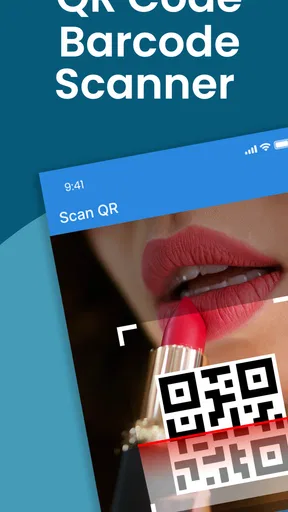
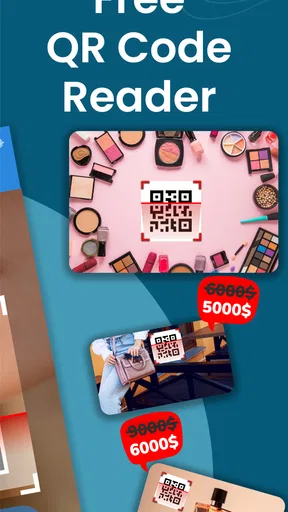
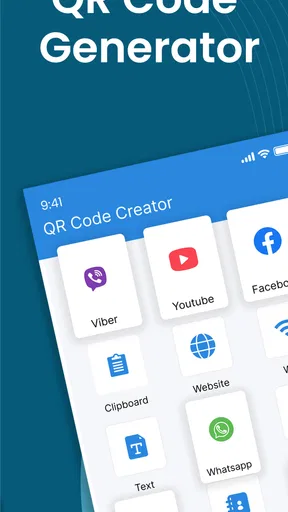
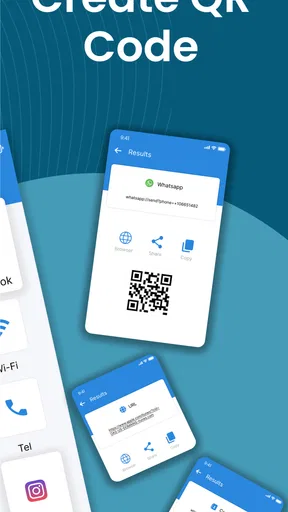
Our Review of QR Code Reader: QR Code Maker
 Analysis by Appyee
Hey folks! So, I recently got my hands on the QR Code Reader: QR Code Maker, and let me tell you, it was quite the experience. I mean, who knew scanning a bunch of random squares could be this fun? Let's dive right into what this app is all about.
Unpacking the Features
First things first, the QR Code Reader: QR Code Maker does exactly what it says on the tin. It scans QR codes like a champ and even lets you create your own. The app's interface is super sleek, and navigating through it feels like a breeze. You just open it up, point your camera at a QR code, and voilà—instant information at your fingertips!
That direct approach is the main reason I’d reach for it when I need to scan something quickly rather than browse a shopping app or open a web browser and hunt for a separate tool. As a free shopping-category app from BestAppsHub, it has a practical angle: barcodes on products can lead to useful information while I’m deciding what to buy. Its 4.0 average from around 8.8 thousand ratings and more than a million installs suggest it has found a broad audience, though popularity alone doesn’t tell me whether it will suit every phone or every scanning habit.
But wait, there’s more! Not only can it read QR codes, but it also supports an array of formats including barcodes. This means you can scan product barcodes to compare prices or get more info about what you’re buying. Pretty handy, right?
There’s a useful distinction here: scanning a barcode can help me identify or investigate a product, but it isn’t the same as having a full price-comparison service built in. I’d treat the scan as a starting point, then check the details and prices through whatever shopping sources I already trust. That keeps expectations realistic and makes the tool most useful for quick lookups rather than as a replacement for a retailer’s app or a dedicated comparison site.
Make Your Own Codes
Now, here’s where it gets interesting. The app lets you create your own QR codes for URLs, contact info, or even plain text. This feature is perfect for anyone looking to jazz up their business cards or share info seamlessly. It’s incredibly straightforward—just enter the data you want to encode, and the app does the rest. Easy peasy.
I’d use that feature for small, practical exchanges: putting a link on a handout, sharing a contact detail at a casual event, or making a short note available without asking someone to type it out. A good habit is to test the finished code with another phone before printing it or sending it to a group. That simple check can catch a typo in a URL or contact field while it is still easy to fix. For anything that will be displayed publicly, I’d also keep the encoded content appropriate for anyone who might scan it.
There is a trade-off to making codes, too. A QR code is convenient only if the person receiving it knows what it contains and can scan it. For a short message, plain text may be easier; for a link that people need to trust, a clearly written address beside the code gives them a choice. I see the maker as a handy sharing shortcut, not a reason to turn every piece of information into a square.
User Experience
I found the user experience to be top-notch. The app is fast, responsive, and doesn’t bog you down with unnecessary ads. The scanning process is lightning quick, and the creation tool is intuitive. Plus, the app doesn’t require an internet connection for scanning, which is a lifesaver when you’re out and about.
Offline scanning is especially useful in a shop with patchy reception or while travelling, when I may want to read a code before I have a reliable connection. It does not mean every result is fully usable offline: a code containing a web address can be read without a connection, but opening that page still depends on having one. I find that distinction worth remembering, because it prevents a quick scan from being mistaken for offline access to whatever the code points to.
In a typical shopping trip, I might scan a barcode on an unfamiliar item, note the information it reveals, and then decide whether it is worth checking further. If I’m comparing products, I’d scan each one in similar conditions and verify that the details match the actual packaging; codes can identify an item, but they can’t judge whether it fits my needs. For QR codes on signs or packaging, I’d pause before opening an unexpected destination. A scanner can read a code, but a little judgement about what I choose to visit is still sensible.
Compared with the camera app already on many phones, a dedicated reader can be appealing when I want a focused place to scan and also make codes. The built-in camera is often the simplest option for an occasional QR scan, since it is already at hand. On the other side, a specialist barcode or shopping app may be a better fit if I mainly want detailed product research or a richer shopping workflow. This app sits between those choices: useful when both scanning and basic code creation matter, but not a substitute for a full retail research tool.
For everyday use, I’d keep the workflow simple: open the scanner, line up the code in good light, check what it has read, and only then follow through to any destination. If a code is printed small, glossy, or partly damaged, changing the angle or moving the phone slightly can help avoid glare and improve focus. These are ordinary scanning habits rather than special tricks, but they make a noticeable difference when a quick point-and-scan attempt doesn’t work first time.
The app is free to download, though it includes in-app purchases ranging from $2.99 to $49.99 per item. That matters if you prefer apps with no optional spending at all: I’d check the purchase prompt carefully before confirming anything and decide whether the basic scanning and creating tools already meet my needs. It is rated for Everyone, and version 6.4 is listed for Android 7.0 and up, so checking the operating-system requirement before installing is a sensible first step on an older device.
Why You Might Love It
If you’re into tech or just someone who loves streamlining their life, this app is for you. It’s perfect for quickly accessing links, saving contact info, or even just having fun with DIY projects. And let’s be honest, there’s something oddly satisfying about creating your own QR code and watching it work flawlessly.
I’d particularly recommend it to someone who regularly encounters both product barcodes and QR codes and wants one straightforward tool for those moments. It also makes sense for a person who occasionally needs to share a link or a contact detail as a scannable code, without building a more involved digital workflow. If your use is only an occasional QR scan, your phone’s built-in camera may already be enough; if you need extensive stock tracking, shopping comparisons, or business-grade code management, I’d look at an app designed specifically for that job.
One practical way to get more from the maker is to keep each code focused on one purpose. A short URL or concise contact detail is easier to share and less likely to become confusing than a code carrying information the recipient does not need. Before using a code on a flyer or card, scan it yourself and ask someone else to try it, too. That small bit of preparation is more valuable than making a code look clever if the people receiving it cannot use it easily.
The audience rating of Everyone makes the app broadly accessible, but I would still think about the content behind a code before sharing it widely. A code can make information quick to reach, which is convenient, but that convenience also means someone may open it without much context. For a public display, pair the code with a plain explanation of what it does; for a private exchange, share it only with the people who need it.
Final Thoughts
All in all, the QR Code Reader: QR Code Maker is a solid app that does its job and does it well. It’s free, functional, and just plain fun to use. So, if you’re looking to simplify how you interact with the world of QR codes, give this app a try. You might just find yourself scanning everything in sight!
Happy scanning, everyone!
Privacy and Permissions
See what permissions an app requests and how it handles your data.
- Camera
- take pictures and videos
- Other
- view network connections, full network access, prevent device from sleeping
Verdict
Strengths of QR Code Reader: QR Code Maker
- Fast scanning with minimal delay.
- User-friendly interface for all ages.
- Generates QR codes easily.
- Supports multiple QR code formats.
- Lightweight app with low storage use.
Limitations of QR Code Reader: QR Code Maker
- Contains ads that can be intrusive.
- Limited customization for generated codes.
- Requires camera permission access.
- No batch scanning feature available.
- Occasional scanning errors in low light.
Other Releases by BestAppsHub
View All
Image to PDF - PDF Converter
Business0.0
Similar Picks in This Category
View All
SHEIN-Shopping Online
Roadget Business PTE. LTD.4.8

Amazon Shopping
Amazon Mobile LLC4.4


Mercado Libre: Compras online
Mercado Libre4.8

Wish: Shop and Save
Wish US Holdings LLC4.7

Alibaba.com - B2B marketplace
Alibaba Mobile4.4
Frequently Asked Questions
What features does the QR Code Reader: QR Code Maker offer?
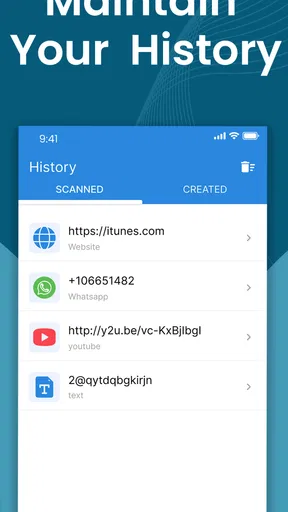
The QR Code Reader: QR Code Maker provides a comprehensive suite of features, including fast QR code scanning, the ability to generate custom QR codes, and support for a wide range of formats like URL, text, and contact information. It also saves your scan history for easy access.
Is the QR Code Reader: QR Code Maker free to use?
Yes, the app offers a free version with essential features. However, there might be in-app purchases or a premium version available that unlocks additional features such as ad-free usage, enhanced customization options, and advanced analytics for QR code performance.
Does the app require an internet connection to function?
For scanning QR codes, the QR Code Reader does not require an internet connection. However, generating certain types of QR codes or accessing online content linked to a QR code may require internet access. The app is designed to work efficiently both online and offline.
How secure is the QR Code Reader: QR Code Maker?
The app prioritizes user security by not storing any personal data without consent. It uses encryption to protect any sensitive information processed through QR codes. Users are encouraged to be cautious when scanning codes from untrusted sources to avoid potential security risks.
What devices and operating systems are compatible with the app?
QR Code Reader: QR Code Maker is available for both Android and iOS devices. It supports a wide range of smartphones and tablets running on the latest and several previous versions of these operating systems, ensuring broad compatibility and functionality.
